
When Nova is installed, it is initially operating in demo mode. In this mode, Nova will wait for up to 10 minutes for a log on, and if the log on is successful, the execution period will be extended to one hour. Restarting the system will restart the trial period. If you wish to run Nova for longer, you must either purchase a license or request a demo key. Both process involve downloading the device-specific lock file from the Nova installation, submitting it to Cutting Edge either with payment or via the evaluation request form, and then uploading the key file that you will receive from us.
Downloading the Lock File
Log on to your Nova installation.
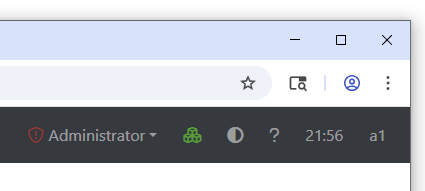
Click on the device name (a1 in this example) at the top-right of the menu bar:
The System Information page will appear:
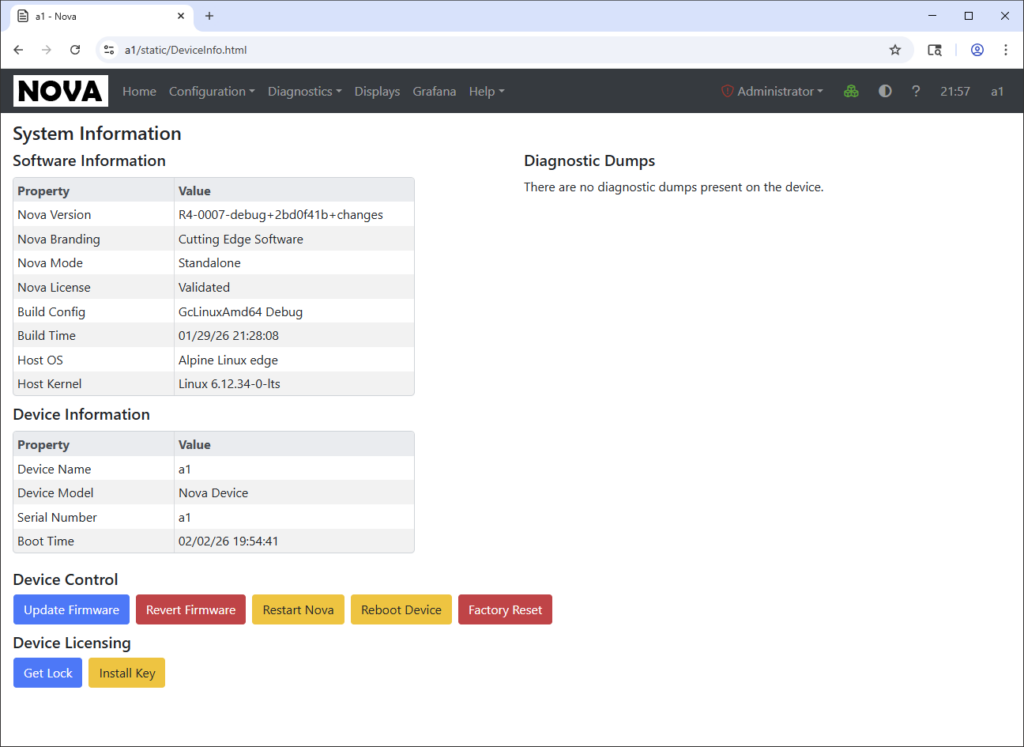
Click on the button labelled Get Lock. The lock file will be downloaded per your browser’s settings.
Obtaining the Key File
Either use the contact link at the bottom of the page to contact us for pricing, or click on the link below to submit a request for an evaluation license. When requesting an evaluation license, please provide a brief summary of your application. Evaluation licenses are not currently time limited.
Uploading the Key File
Repeat the process above, but this time click on the Install Key button. Select the file provided by Cutting Edge and your system will restart with the license applied. The demo time limitation should now have been removed, and you will no longer receive the warning message on the log on page.
