
AI Assistant
Ask your device. In plain English.
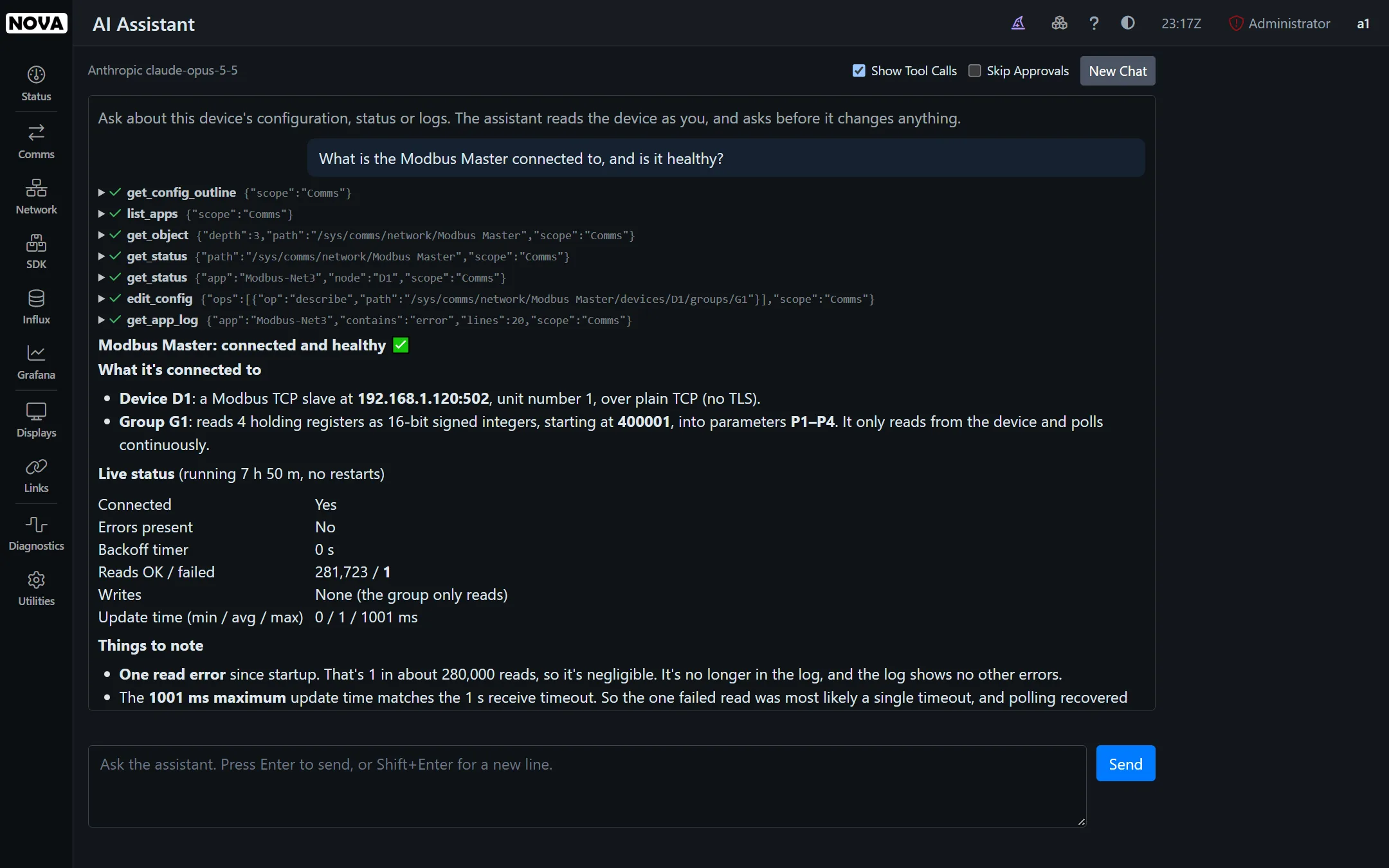
Nova has an AI assistant built-in. It reads the device’s configuration, status and logs, explains what it finds. With your approval, it will make the changes needed to fix problems. It will even configure your communications, or create display pages. Bring your own key for the model you prefer, or connect your own AI agent over MCP.
How it works
Your device, your model, your rules.
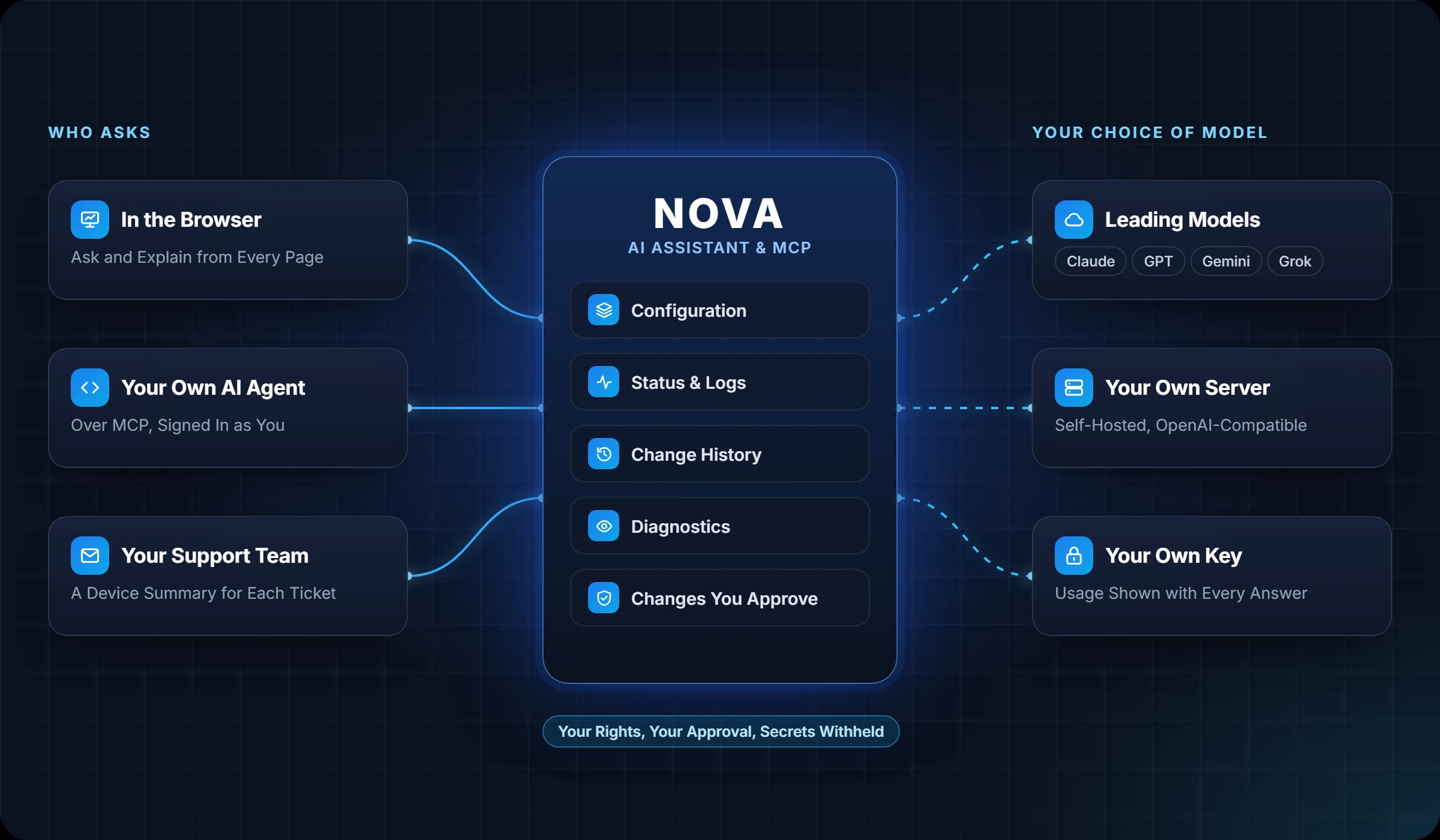
The assistant runs on the device and works through an integrated set of tools, whether you ask in the browser or via your own AI agent. You choose the model, and it acts with your rights, never more.
Capabilities
An expert beside every screen.
The assistant is a click away wherever you are in Nova, and it always starts from what the device is actually doing.
Ask Anything
Questions about the device are answered from its own configuration, status and logs, not from guesswork.
Explain It All
Explain buttons on status pages, logs, network tools, system load and the configuration history let the assistant put you in the picture.
Check This Device
One click has the assistant review every subsystem and point out anything that needs attention, together with the evidence and the solutions.
Expressions and SQL
The AI assistant will draft expressions or the SQL statements to deliver the functionality you want, or it will explain an preexisting bit of code.
Changes with Approval
Ask for a change or an addition, and the assistant proposes it. Nothing is changed until you approve, and the agent never goes beyond your own rights.
Support Summaries
Create a summary of the device and its issues so that you can include it in your support request, reducing the time it takes you to get help.
Changes
It asks before it acts.
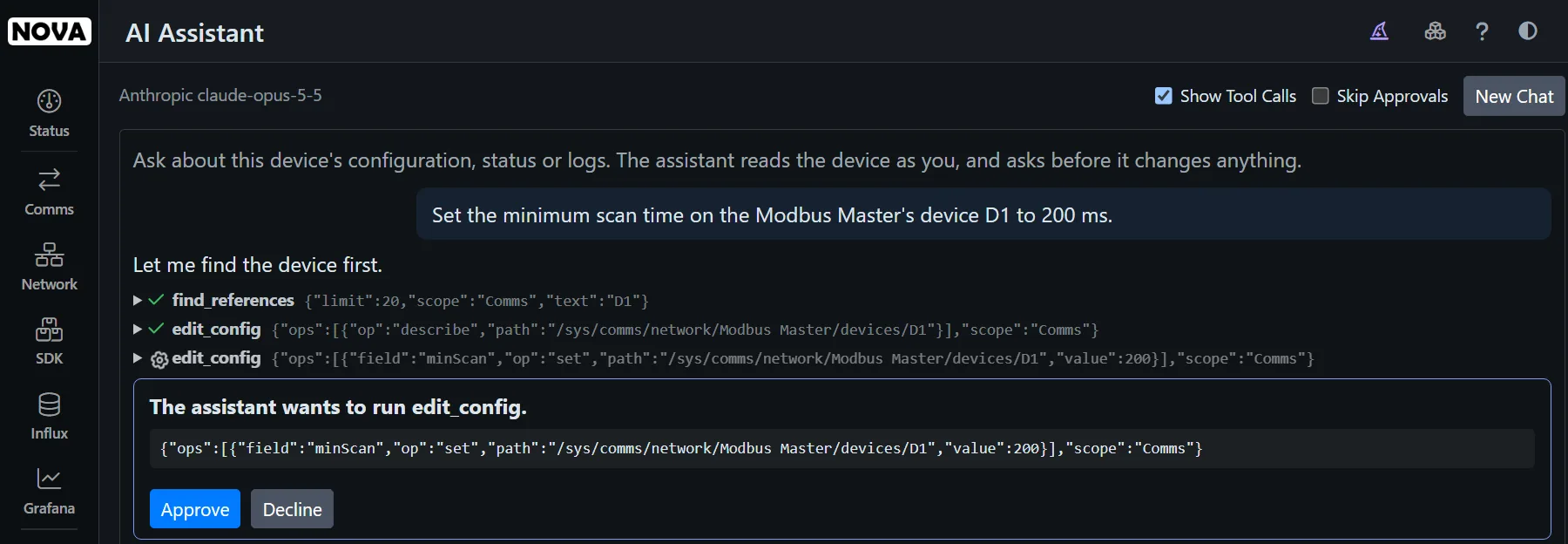
When you ask for a change, the assistant checks the setting first, then shows you exactly what it wants to do. Approve it, or decline to prevent the change. It reads and acts as you, so it can never do more than your account allows.
- Every change shown before it runs
- Your own rights, checked on every step
- Secrets withheld: passwords never reach the model
History
What changed, and why it matters.
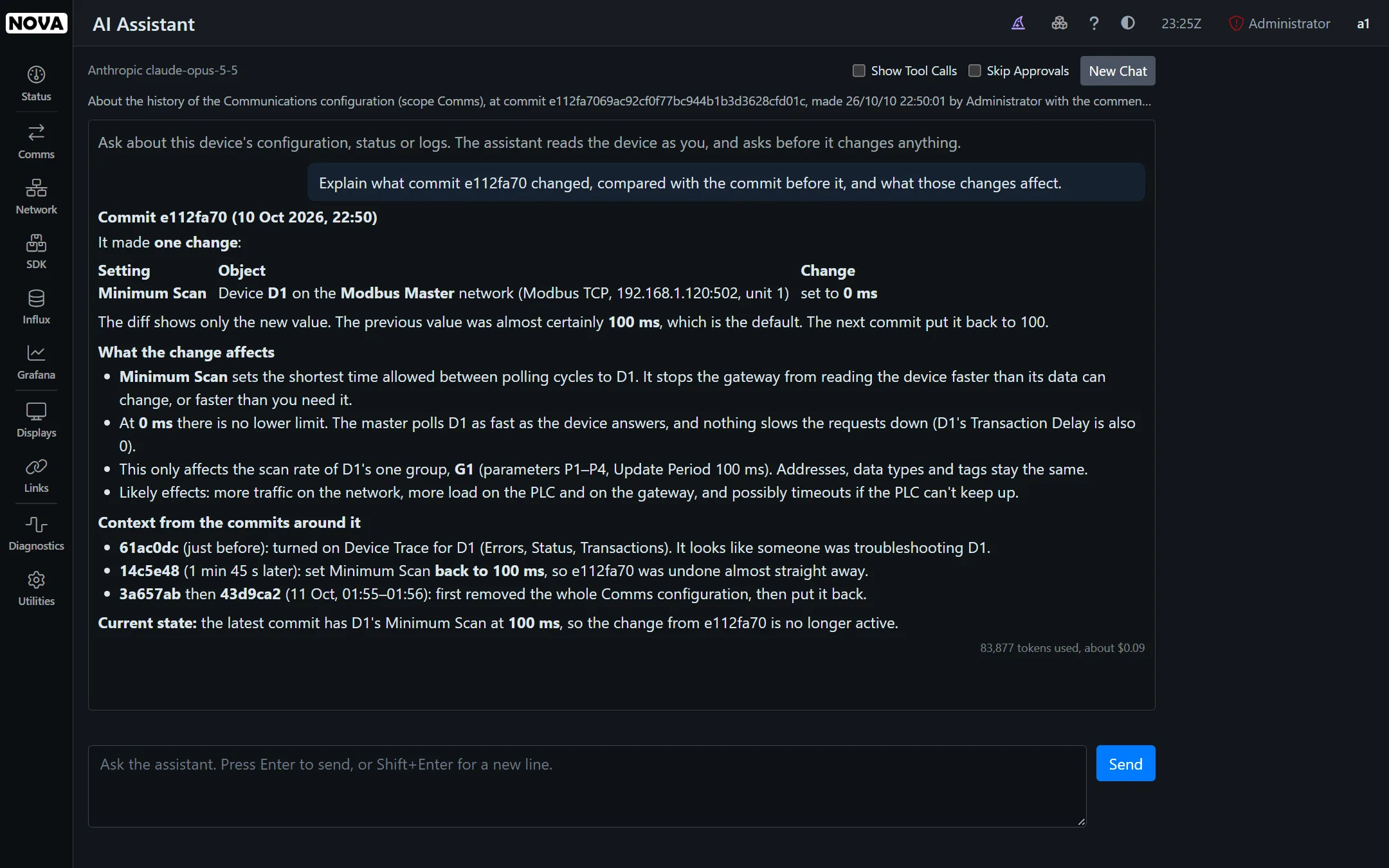
Pick any commit in the configuration history and ask the assistant to explain it. It compares the commit with the one before, describes what changed, and tells you what the change does to your system.
Your choice
Your model, your key.
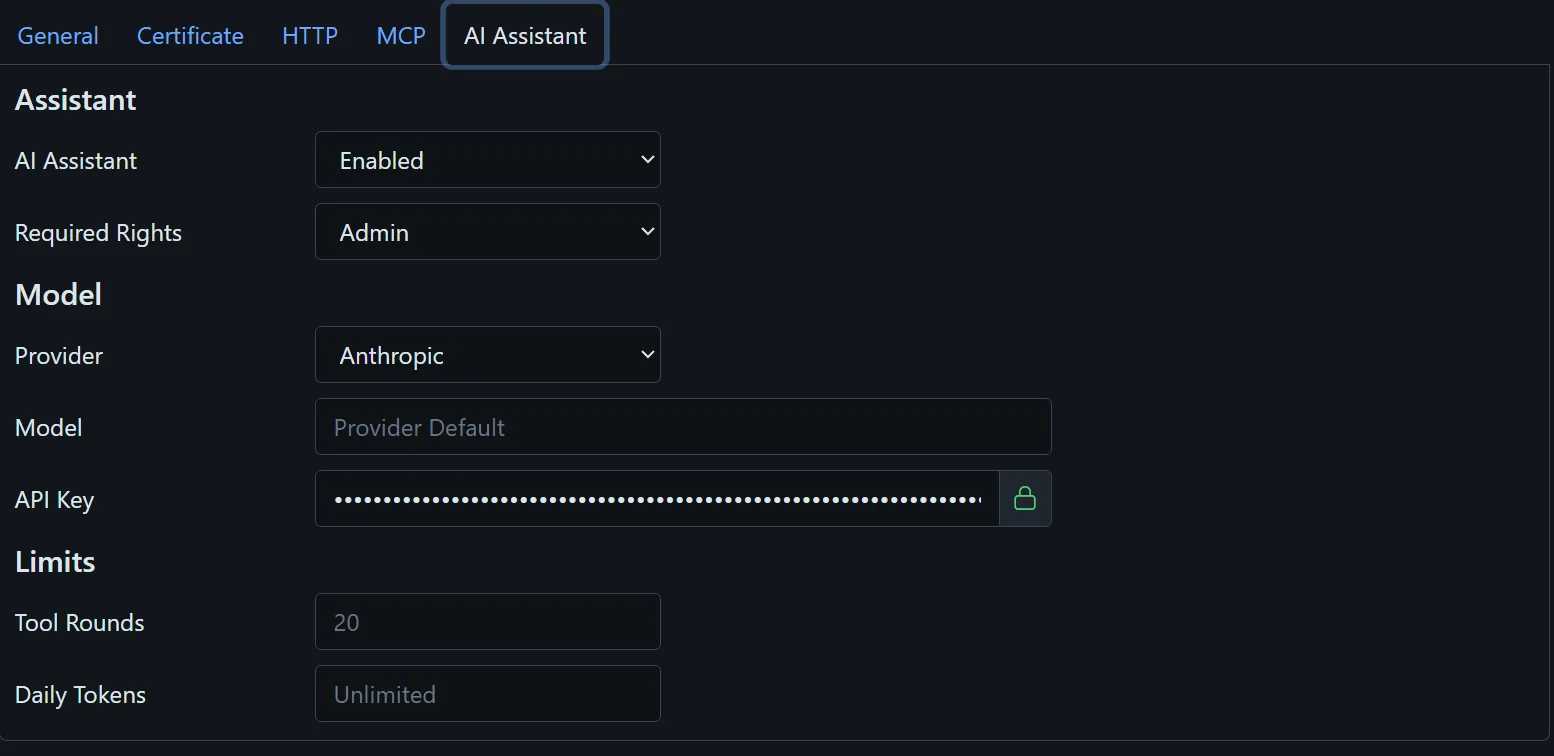
Use Anthropic’s Claude, OpenAI, Google Gemini or xAI Grok with your own API key, or point Nova at a model on your own server. The assistant is off until you turn it on and select who may use it. Every answer shows its token usage and an estimated cost based on the labs’ published rate card.
- Off by default, and limited to the users you choose
- Daily token limits to keep costs predictable
- Self-hosted models for sites that keep everything in-house
MCP
Bring your own AI agent.
Nova speaks the Model Context Protocol, so Claude and other MCP-capable agents can work with your device directly, with the same tools and the same safeguards as the built-in assistant.
Signed in as You
Agents sign in with your own Nova account, and the server only listens once you turn it on. TLS keeps the link secure.
The Same Tools
MCP can access configuration, status, logs, history, diagnostics and help, via the tools the built-in assistant uses.
The Same Safeguards
Your rights apply to every call, changes are checked before they’re saved, and secrets stay withheld.
Put an expert beside every device.
See the assistant at work on your own configuration.
We’ll set up an evaluation with your devices and your network.